Solicitar días de cortesía para el envío de notificaciones electrónicas
Skip information indexCómo solicitar los días de cortesía
Users included in the system of Mandatory Electronic Notifications (NEO) or who have voluntarily subscribed to the procedure for receiving notifications in the electronic headquarters of the TEA, may indicate up to a maximum of 30 days in each calendar year during which the Economic Administrative Courts will not be able to make notifications available to them in the Single Qualified Electronic Address (DEHú).
Days of courtesy must be requested with a minimum of 7 calendar days in advance of the start of the desired period.
If the person who is going to manage both the electronic notifications and the days of courtesy is a third party, he must be empowered in the GENERALTEA procedure and ensure that the empowering has been confirmed by the agent.
When accessing the service, select the type of identification; by means of Cl@ve electronic certificate or DNIe; the application validates if the holder is subscribed to electronic notifications of the TEA. If so, the calendar of the current calendar year will be displayed to indicate the desired days.
Review what is stated in the "Notices". For an adequate planning of absences take into account the following points:
- Courtesy days are only effective in relation to notifications in the unique Enabled Email Address. Electronic notifications made available prior to the start of the period of courtesy days will be understood as being notified for the course of ten days without accessing them.
- You must also mark Saturdays and Sundays.
- In the event that the taxable person is voluntarily subscribed to the receipt of electronic notifications, the aforesaid will only have effects with respect to those procedures in which he is subscribed.
- To extend the days of courtesy to the powerhouses, select: "Manage Powerhouse Courtesy Periods" and "Assign Courtesy Period".
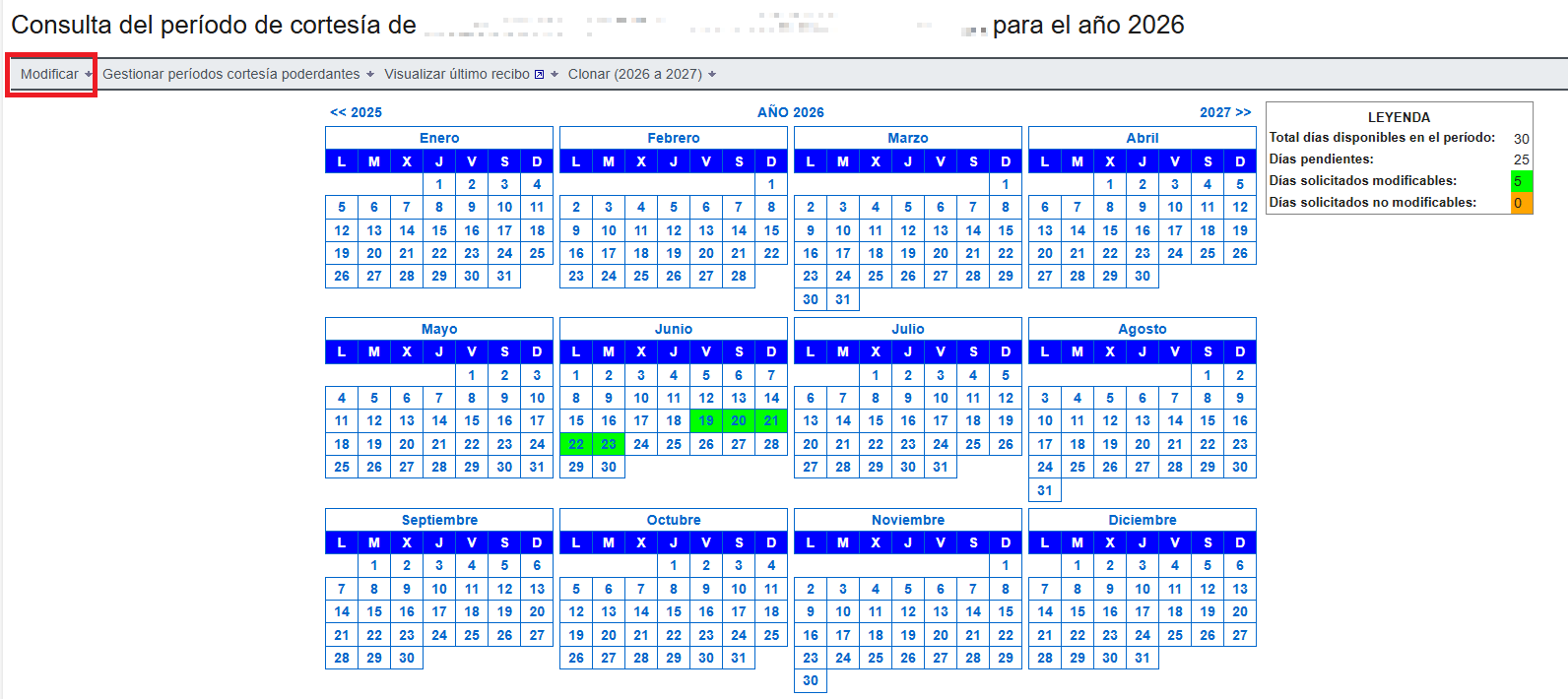
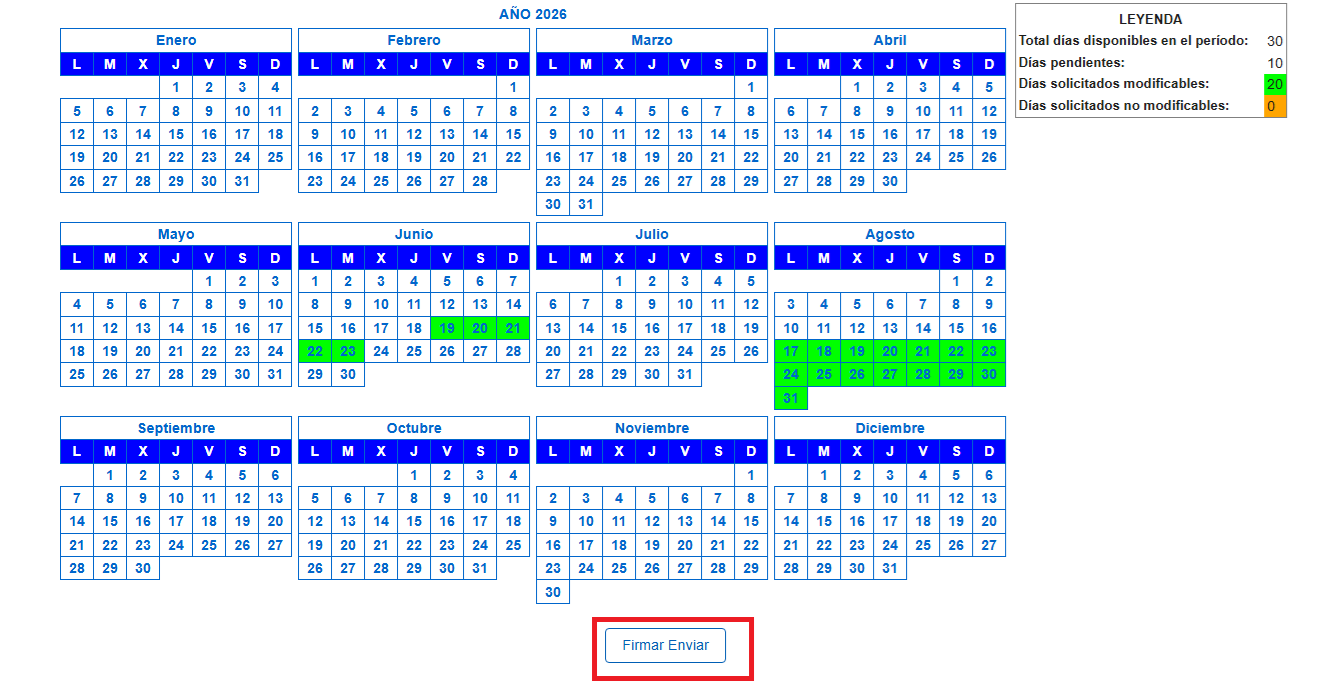
Click on the "Modify" option to start the request for courtesy days. You can only mark the days available. Once selected, they will be marked in green. Click on "Validate" and, finally, on "Sign and Send"

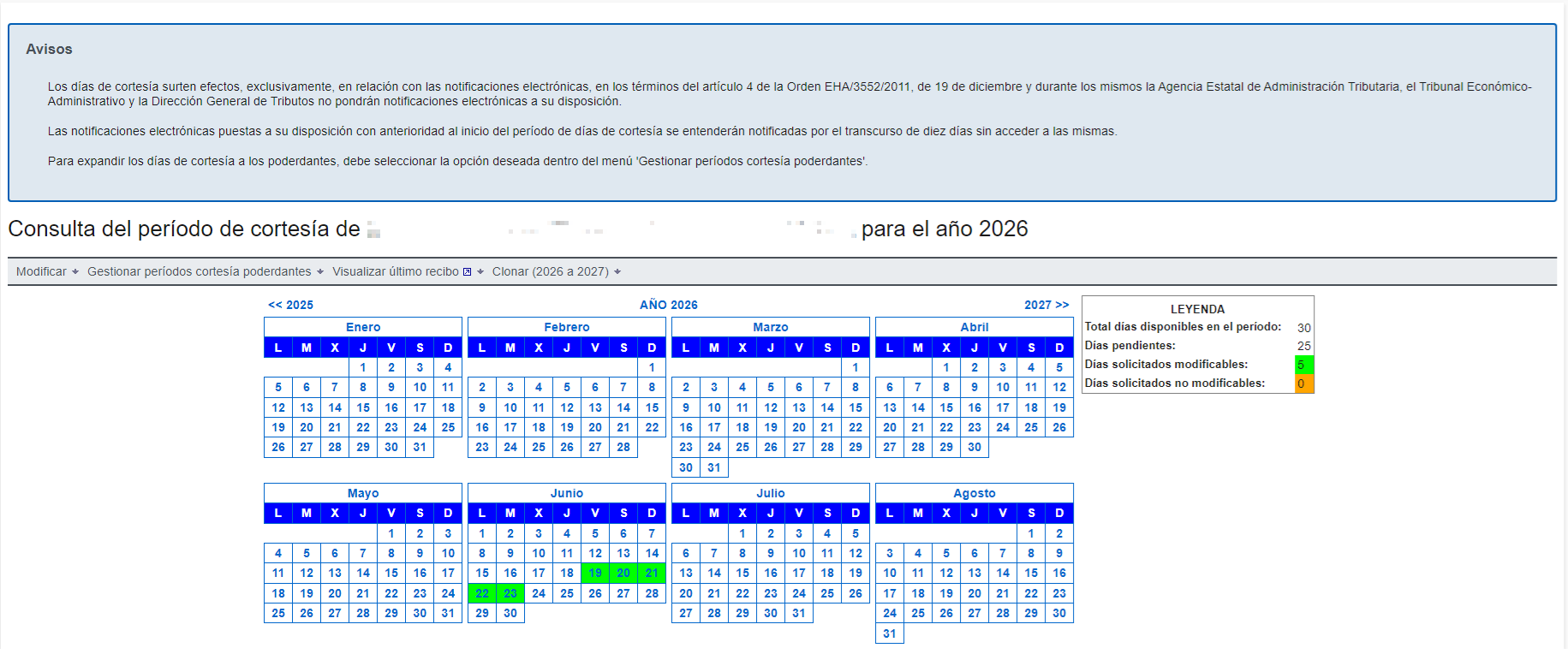
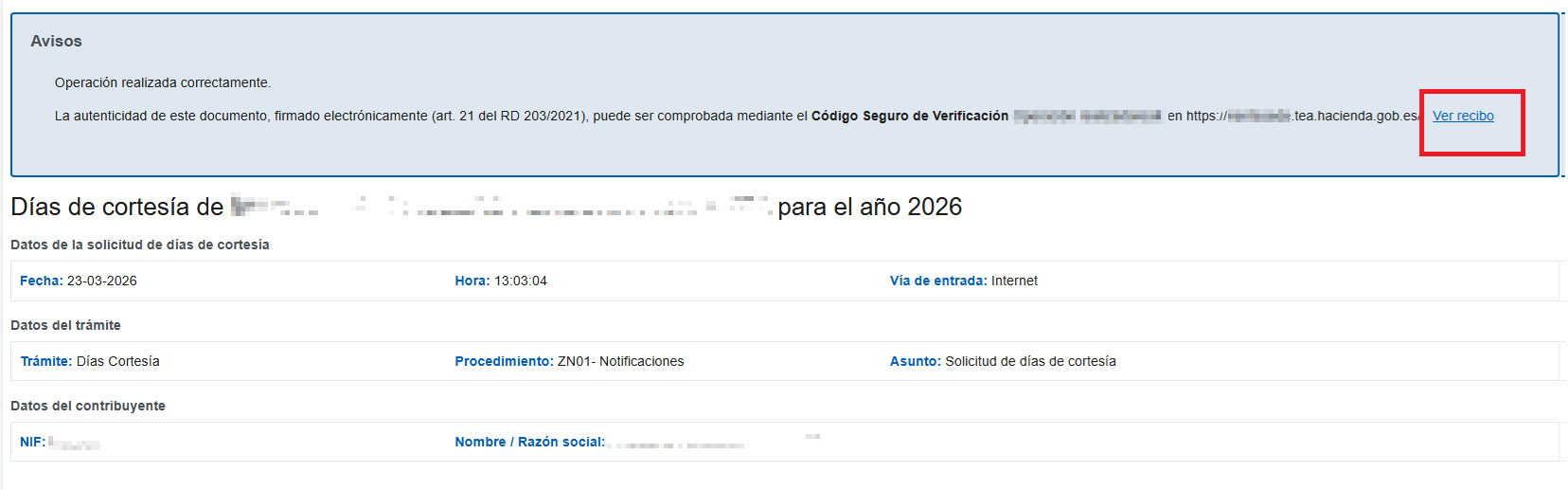
In the next window check "Agree" and press "Sign and Send" again. An application receipt will be generated with a 16-character CSV code and the calendar with the courtesy days selected and updated, as well as the date and time of the application. To view the presentation receipt in PDF format, press "View receipt". However, in the notice at the top you will find the CSV to retrieve this proof through the option "Document matching using secure verification code (CSV)"
When you click on "Back to the main screen" (located under the calendar), you return to the Free Days query and all the days you have requested are marked. Two types are distinguished: modifiable and non-modifiable.
If you want to change or cancel any of the dates indicated, use the "Modify" option again. To be able to modify it is necessary to be within the period of change, that is, 7 days before the start.
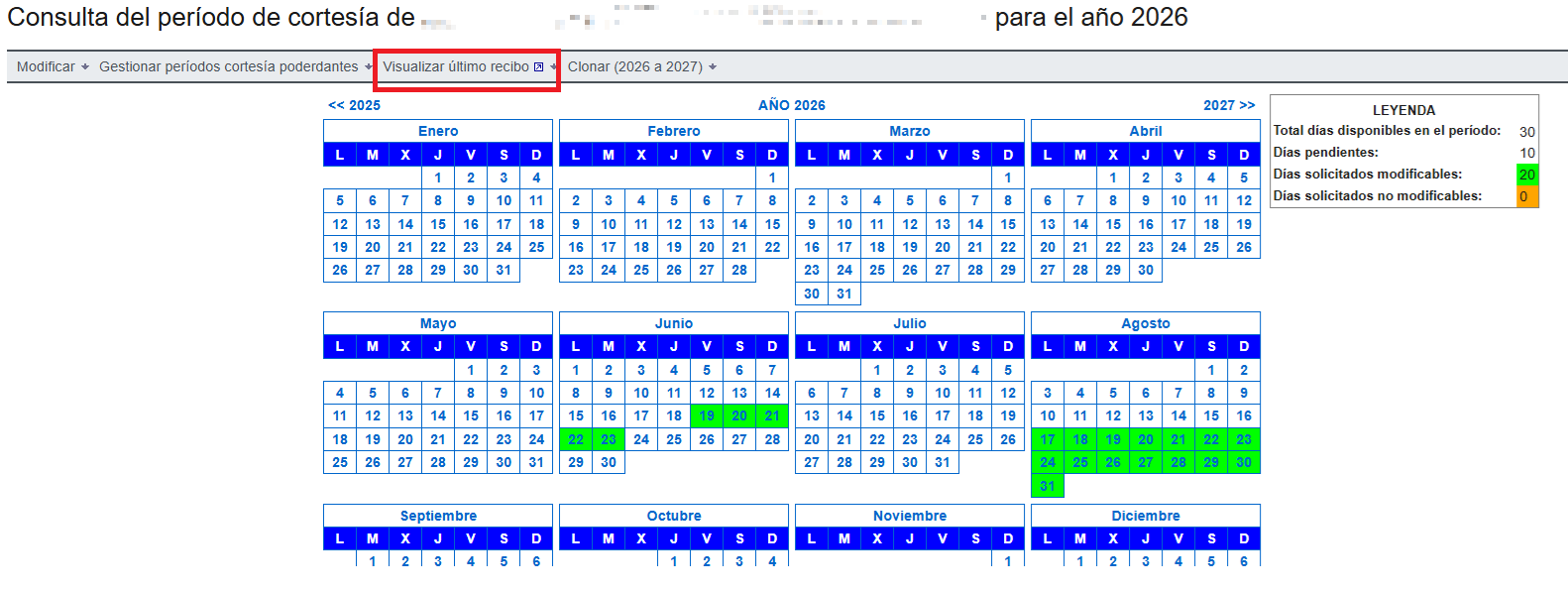
In addition, if you access the free days request at any time, you can obtain the PDF corresponding to the last assignment receipt using the "View Last Receipt" link at the top.