Solicitar días de cortesía para el envío de notificaciones electrónicas
Skip information indexCómo solicitar los días de cortesía. Apoderados
Management of courtesy days typical of the agent
If you access with an identification that has confirmed the GENERALTEA authorization, you can modify the days of the holder of the certificate (authorized) from the "Modify" button, provided that it is subscribed to electronic notifications in its own name or if it is in NEO. In this case, the calendar will appear so that you can select the days you need from those available.
It is recommended to assign the days in a massive way to the powerful and that these days coincide with their own (proxy).
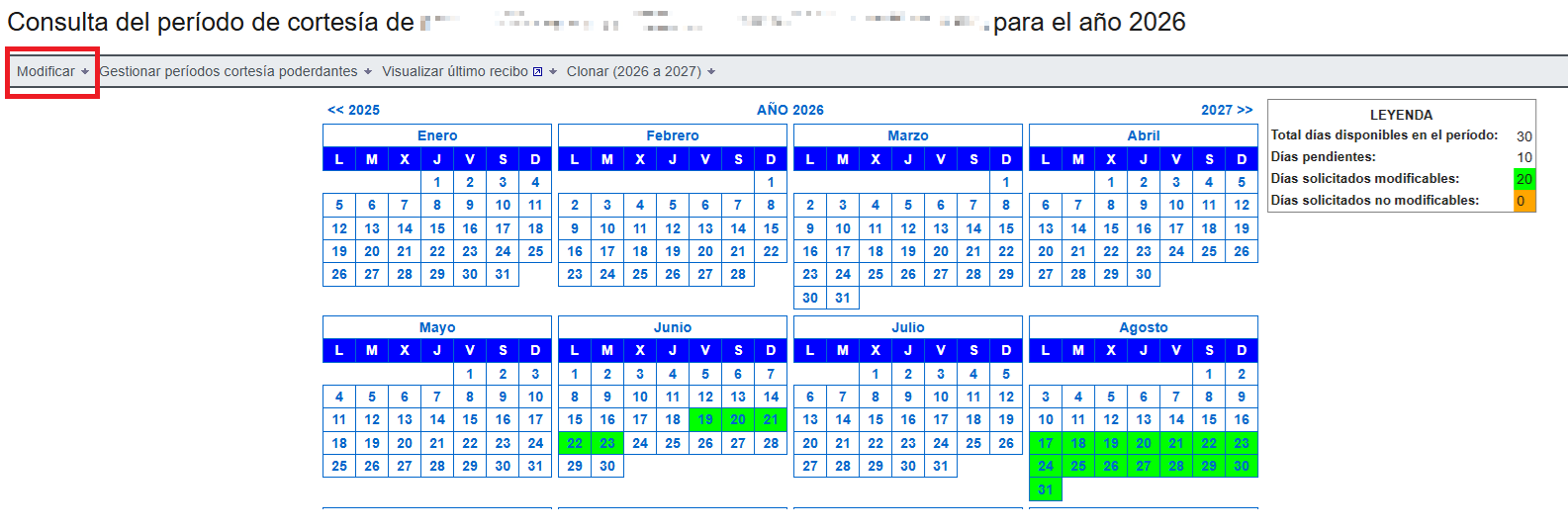
If the agent is not subscribed to electronic notifications, the calendar to manage their own days will not be displayed. Only the courtesy days of the selected powerhouses will be allowed to be managed.
Management of days of courtesy of the powerful
If the holder of the electronic certificate with which it has been accessed has confirmed the GENERALTEA authorization, in the application to select the days courtesy, the option "Manage Periods Courtesy Powerful" will appear. It must be taken into account that, the days of courtesy are governed by the days that the taxpayer has assigned, not those that the agent has assigned, except in those cases in which the agent (taxpayer) is not in NEO or voluntarily subscribed to procedures, in that case the days of courtesy that are considered are those of the agent.
The courtesy period management options are: "Query/Modify Powerhouses", "Query Powerhouses Courtesy Periods", Mass Assignment Period of Courtesy to Powerhouses" and "Mass Cloning Period of Courtesy to Powerhouses"
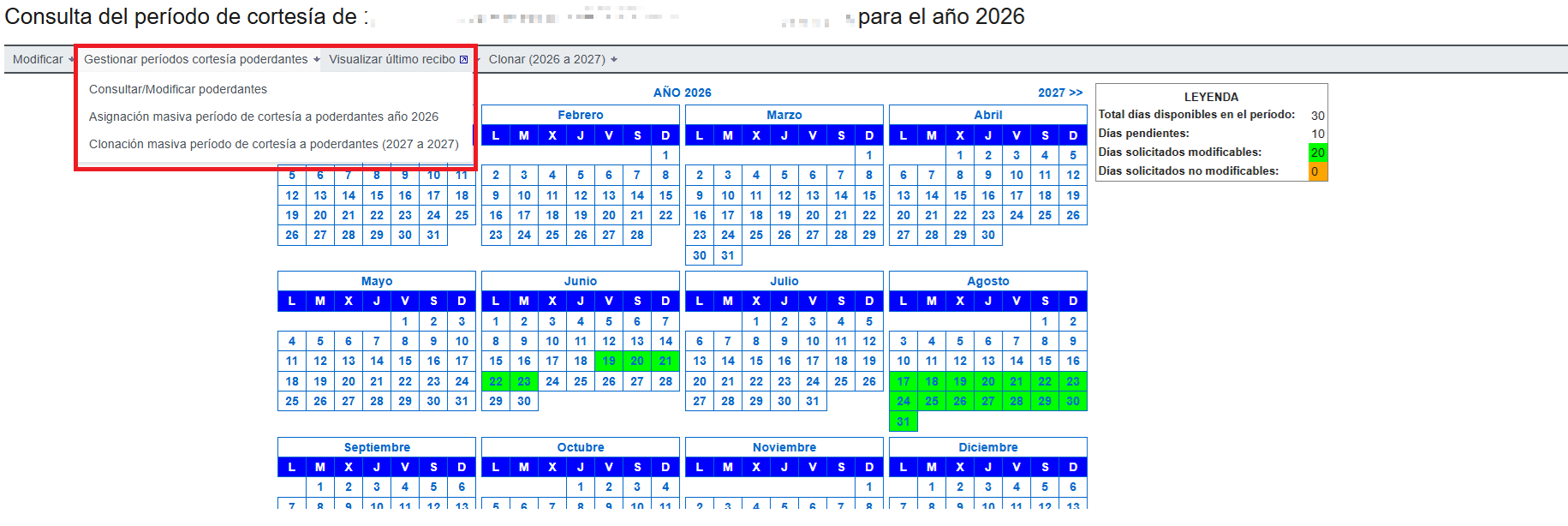
Massive Allocation Period of Courtesy to Powerbrokers
From the option "Massive Assignment of Period of Courtesy to Powers year 20XX" you can select the powers you deem appropriate to collectively assign the same days of courtesy that the agent has requested for himself from the day indicated in the notice.
Allows:
- Search by NIF or Name
- Filter based on whether you have courtesy days assigned or not
Mark the powerhouses you want and click "OK" and "Sign and Send" to make the request.

Once the mass assignment is processed, a response window will be displayed with the list of NIFs and CSVs corresponding to each of the assignments. In addition, a PDF document ("Submission Receipt") will be generated that contains all the information regarding the massive updating of courtesy periods performed.
When an NIF does not appear, it is because it is not registered in NEO or voluntarily subscribed to notification procedures. In which case, the assigned days are the same as those of the agent.
Mass Cloning Period of Courtesy to Powerbrokers
From the option "Mass Cloning Period of Courtesy to Powerhouses (20XX to 20XY)" you can select the powerhouses that you consider appropriate to collectively assign them for next year the same days of courtesy that the agent has requested for himself in this year.
Mark the power-ups you want and click "OK"; a window will appear with the selected power-ups and a link to see the resulting days. Then click “Sign and Send” to record the cloning of courtesy days. A safeguard will be displayed, not retrievable later, unless the CSV is noted at that time.